StayAwake Display
One click stops your screen from turning off while you read. A lightweight Windows utility that stays out of your way.
Free · Windows 10 / 11
One click stops your screen from turning off while you read. A lightweight Windows utility that stays out of your way.
Free · Windows 10 / 11
StayAwake Display stops your screen from turning off while you read — with a single click. Click again to release it. Close the app and your power settings return on their own.
Read a document → the monitor goes dark → touch the mouse or keyboard → it comes back → read on…
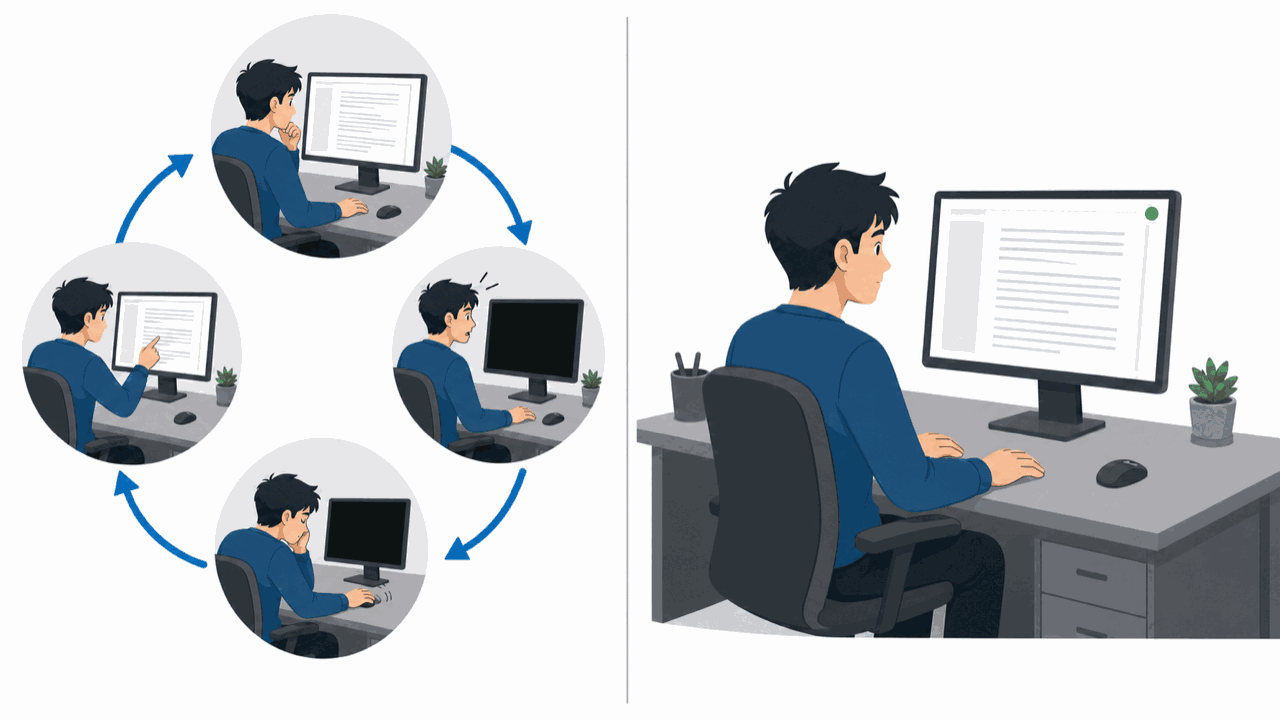
Left: without StayAwake / Right: while StayAwake is ON
The harder you concentrate, the less you touch anything. Windows reads that stillness as you being away, so the screen goes dark at the exact moment you are most absorbed. While StayAwake Display is ON, that loop never starts.

Green ON means display sleep prevention is active; red OFF releases it. The lit button and the status line below show the current state at a glance.
SetThreadExecutionStateWhat this app prevents is the display turning off under your power plan.
If the screen still goes dark after you turn it ON, the cause is likely the screensaver or an automatic lock (a security feature). SetThreadExecutionState cannot stop those.
An automatic security lock may be governed by your organization's policy. Check the rules before working around it.
Free on the Microsoft Store.
Free · Windows 10 / 11 · about 3.6 MB download
MIT License. Copyright (c) 2026 Miyanogawa Yuya